






Account Hacked? What to Do Right Now (the 6 Steps, in Order)
Table of Contents
Key takeaways
- Don’t panic — but move fast: change the password first, then turn on two-factor authentication (2FA).
- The FTC publishes six official steps for hacked email and social media accounts. Use them in the published order.
- Hackers often stay quiet: check email filters, forwarding rules, recovery details and connected apps, not just your password.
- If personal information was stolen, IdentityTheft.gov is the federal one-stop starting point for a recovery plan.
- Expect recovery phishing: while you recover, criminals send fake “reset your account” emails. Only use official links.

First, a 30-second assessment
Three situations, three starting points:
- You’re still logged in and something looks wrong — strange sent mail, new devices, posts you didn’t write. Start with the six steps below immediately.
- You’re locked out — the password no longer works. Go straight to the provider’s account recovery flow (for Google accounts, that’s the “Recover a hacked Google Account” guidance: check recent activity, secure the account, review sign-ins and devices). Then come back and work the rest of this list once you’re back in.
- Financial or identity information may be involved — skip to the identity theft section below; that’s a different, bigger process with its own checklist.
Whatever your situation: do this on a device you trust, and never from a link someone emailed you.
The six steps the FTC says to take right away
The U.S. Federal Trade Commission publishes a plain checklist for hacked email and social media accounts. Its exact guidance, in its published order:
“If you think someone else is using your account, take these steps right away: 1. Change your password. … 2. Turn on two-factor authentication (2FA). … 3. Check your account recovery information. … 4. Check your email filters and forwarding rules. … 5. Check for signs of other people using your account. … 6. Report it.”
FTC, “How to recover your hacked email or social media account” (2023-08-03)
What each step means in practice
- Change your password. Do it from the account you can still access, on a device you trust. Make it long and unique — never a variation of the old one, and never reused from another site. If your email account is the one hit, change that password first; it is the master key to every other account’s reset links.
- Turn on two-factor authentication (2FA). Once the password is yours again, add the second layer so a stolen password alone can’t get back in. An authenticator app or security key beats SMS where the service offers a choice.
- Check your account recovery information. This is where attackers quietly park: a recovery phone number or alternate email you don’t recognise. Set them back to details you control, or the next lockout sends the reset link to them, not you.
- Check your email filters and forwarding rules. A filter that auto-deletes or auto-forwards specific messages lets someone read your mail without ever logging in again. Delete anything you didn’t create — this step catches more silent intrusions than any antivirus alert.
- Check for signs of other people using your account. Review recent sign-ins, active sessions and connected third-party apps, and sign out or revoke anything unfamiliar. For Gmail, Google’s recovery guidance walks through checking recent activity and securing the account.
- Report it. Use the service’s own help/reporting channel to flag the compromise so the provider can lock down what it needs to — and, if money or personal details are involved, report to the FTC at IdentityTheft.gov (next section).
The whole sequence takes 15–30 minutes for a typical account. Skipping steps 3–5 is the most common mistake: attackers who already hold your password usually change it and hide — they don’t need to log in visibly if forwarding rules copy them everything.

If it’s a Google account
Google maintains a dedicated “Recover a hacked Google Account” flow that covers securing the account, checking recent activity, and reviewing signed-in devices and sessions. Because one Google Account controls Gmail, Drive, Photos and YouTube, treat it as the highest-priority account in your list and work the FTC six steps through that flow.
If your identity was stolen, not just an account
Account takeover becomes identity theft when the intruder uses your details to open accounts, file taxes, or shop as you. In that case:
- Start at IdentityTheft.gov — the federal one-stop resource. It builds a personalized, step-by-step recovery plan based on what happened to you (see how the steps work).
- FTC’s supplementary guidance: “How to recover from identity theft” (2024-09-25) covers the broader response beyond a single account.
- Keep records: save confirmation emails, reference numbers and dates. Recovery plans ask for them.
How did they get in?
Fixing the entry point matters as much as fixing the account. Common routes, and what to do about each:
- A phishing email you acted on. Read our walkthrough on spotting phishing emails with real examples so the next one doesn’t work.
- A password leaked in a breach. Check in two minutes with our guide on checking whether your password was leaked — then change that password anywhere else you reused it.
- A reused password. One breached site unlocks every account sharing that password. Moving everything into a password manager ends that pattern permanently.
Prevention aftercare (do this the same day)
- 2FA on email first, then everything else that offers it.
- Unique password for every account, stored in your password manager.
- Create a passkey on services that support them — passkeys can’t be typed into a fake site, which removes the phishing path entirely.
- Check whether files or documents were exposed and refresh your backups: the 3-2-1 backup rule explains the setup that survives ransomware and account loss alike.
- Watch the account for a week: new sessions, filters, forwarding rules, sent items.
Two caveats worth knowing
Recovery differs by provider. The FTC six steps are account-agnostic, but some services require their own verification forms before handing an account back, and the exact options depend on what recovery details you had on file. Budget more time if you’d stripped your recovery options down in the past.
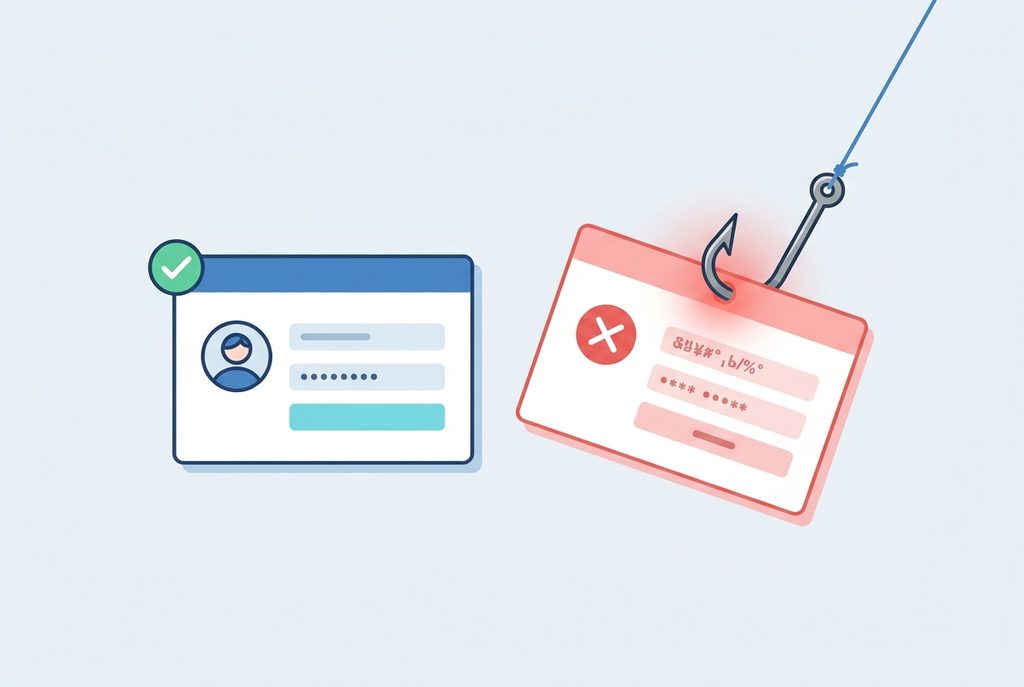
Recovery itself is phished. While you’re recovering, expect emails and texts claiming to be the provider, urging you to “verify” or “restore” via a link. Attackers monitor breach activity and time these lures to the minute you’re most vulnerable. Type the provider’s address yourself, or use links from the official help pages above — never the ones in the message.
Frequently asked questions
What’s the very first thing I should do?
Change the password, from a device you trust — that’s the FTC’s step 1, and it stops the intruder’s current access. If you’re already locked out, start with the provider’s recovery flow instead (Google’s is documented here), then run the six steps once you’re back in.
The hacker changed my recovery email and phone. Now what?
You’ll need the provider’s own account-recovery form to prove ownership — that’s where recovery gets provider-specific. Work from the official help site typed into your browser, not from any emailed link, and expect to answer account-history questions (old passwords, dates, devices) as verification.
Should I warn my contacts?
If the account can send messages, assume the attacker is using it to reach your contacts with fresh phishing bait. Once you’re back in and the password is changed, a short warning through the same channel — or a different channel they’ll recognise — is worth sending.
How do I know they’re really gone?
No unfamiliar sessions or recovery details, no filters or forwarding rules you didn’t create, nothing odd in sent mail, and 2FA enabled. Repeat the check a week later — patient attackers wait for you to stop looking.
FTC six-step checklist, verbatim (“If you think someone else is using your account… 1. Change your password. … 6. Report it.”) | https://consumer.ftc.gov/how-recover-your-hacked-email-or-social-media-account
Google hacked-account recovery flow (recent activity, secure account, review sign-ins/devices) | https://support.google.com/accounts/answer/6294825
IdentityTheft.gov is the federal one-stop resource with personalized recovery plan | https://www.identitytheft.gov/ ; https://www.identitytheft.gov/Steps
FTC “How to recover from identity theft” guidance | https://consumer.ftc.gov/consumer-alerts/2024/09/how-recover-identity-theft