





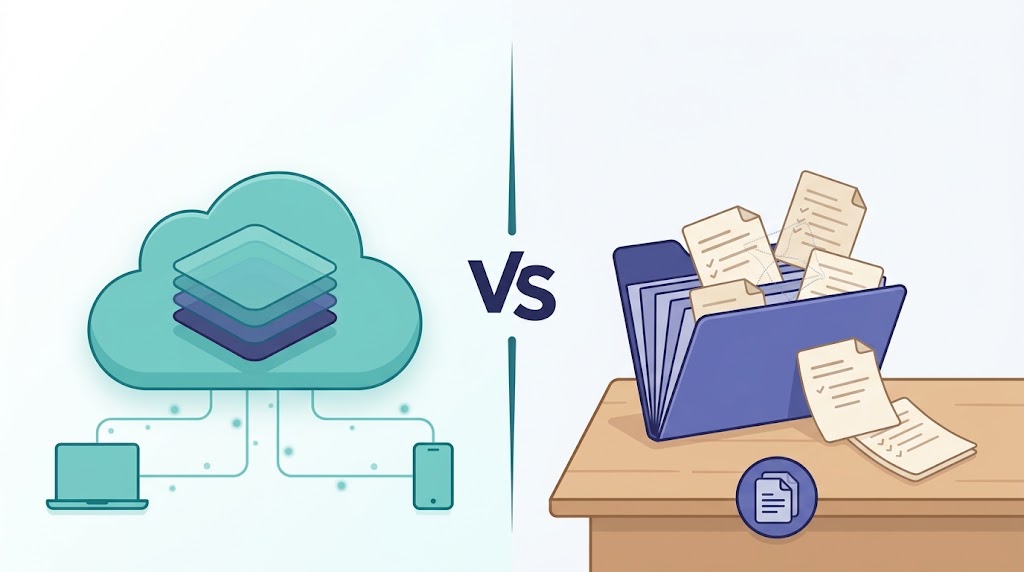
Notion and Obsidian are both note-taking apps with opposite philosophies — a cloud workspace versus local files you own. This 2026 comparison covers structure, offline use, sync, pricing, privacy and migration so you can pick the right one for how you actually work.
Notion and Obsidian are both note-taking and knowledge-management apps, but they are built on opposite ideas. Notion is a cloud-first workspace where your notes live inside databases and pages you shape into views. Obsidian is a local-first app where every note is a plain Markdown file stored on your own device. That single difference — where your notes actually live — drives almost everything else: offline behaviour, pricing, privacy, and how you organise what you write.
Short version: choose Obsidian if you want to own your notes as files, work offline by default, and build your own system; choose Notion if you want ready-made structure, databases, and easy collaboration in one cloud workspace. Everything below is drawn from the two vendors’ own pages, read on 2026-10-12, and pricing is quoted only where the vendor states it publicly.
The short answer
- Choose Obsidian if… you want your notes as plain-text files you control; you work offline or on unreliable connections; privacy and data ownership matter to you; you like linking notes and extending the app with plugins; and you prefer a free app with optional paid sync.
- Choose Notion if… you want one workspace for notes, projects and databases; you collaborate with other people in real time; you like ready-made templates and structured views; and you want to reach your content from any device through the cloud.
Neither app “wins” in general. The honest framing is structure and collaboration versus ownership and control. Decide which of those two you value more and the pick becomes obvious.
Notion vs Obsidian at a glance
| Notion | Obsidian | |
|---|---|---|
| What it is | Cloud-first workspace built from blocks and databases | Local-first app for plain-text Markdown notes |
| Where your notes live | In Notion’s cloud; apps cache selected pages for offline use | On your device as Markdown files |
| Cost to start | Free ($0) | Free (“Free without limits”) |
| Paid plans (vendor-stated) | Plus $10, Business $20, Enterprise custom (per member / month) | App stays free; Sync and Publish are optional add-ons |
| Works offline | Yes — desktop and mobile apps, all plans; chosen pages only; not in a browser | Yes — offline by default, because notes are local files |
| Sync | Built in; the cloud is the single source of truth | Optional: Obsidian Sync (end-to-end encrypted remote vault) |
| File format | Notion’s own format; export to HTML, Markdown, CSV, PDF | Open, plain-text Markdown |
| Structure model | Databases, relations, views, templates | Links, backlinks, graph view, folders, plugins |
| Learning curve | Easy to start; deeper once you build databases | Simple to start; you design your own system |
| Best for | Teams, projects and notes in one place | Writers and “second brain” users who want ownership |
Prices are as of 2026-10-12 and change often — confirm current figures on each vendor’s pricing page before you buy.
How each app is built (the real difference)
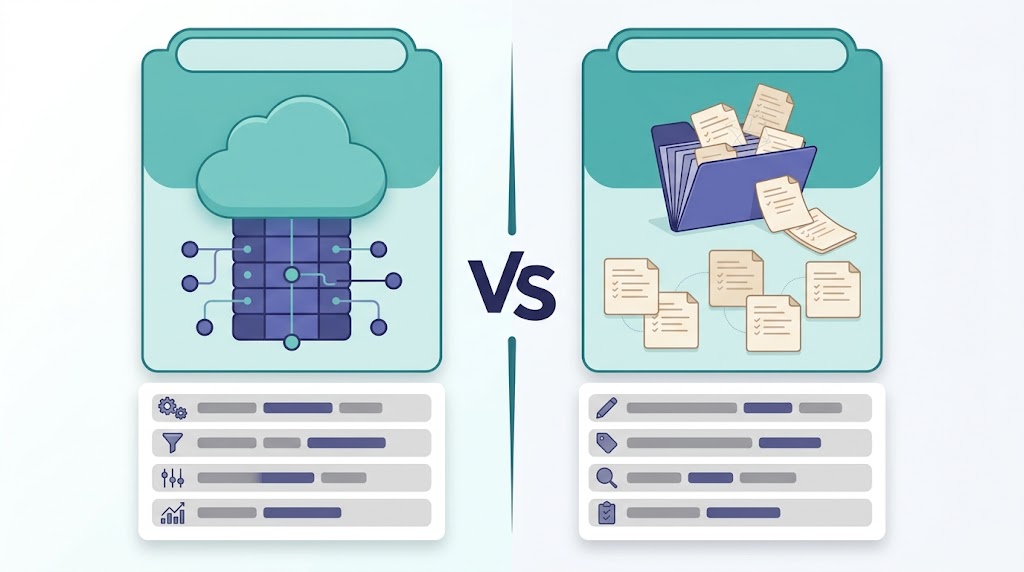
Notion — a cloud-first workspace
Notion describes itself as “The AI workspace that works for you” and positions the product as “One tool to run your company” (notion.com). Content is made of blocks — a paragraph, a to-do, an image — arranged into pages, and pages can sit inside databases with custom properties and multiple views. Your workspace lives in Notion’s cloud; the desktop, mobile and browser apps are windows onto it. That is what makes real-time collaboration and device-agnostic access straightforward, and it is also why your notes exist in Notion’s format rather than as files on your disk.
Obsidian — a local-first app for files you own
Obsidian “stores your notes locally as plain text Markdown files” and “uses open file formats, so you’re never locked in. You own your data for the long term” (obsidian.md). A vault is simply a folder of Markdown files, and the app reads that folder. Because the files are local and portable, the app works offline by default and your notes remain readable in any text editor even without Obsidian.
Structure and note organisation
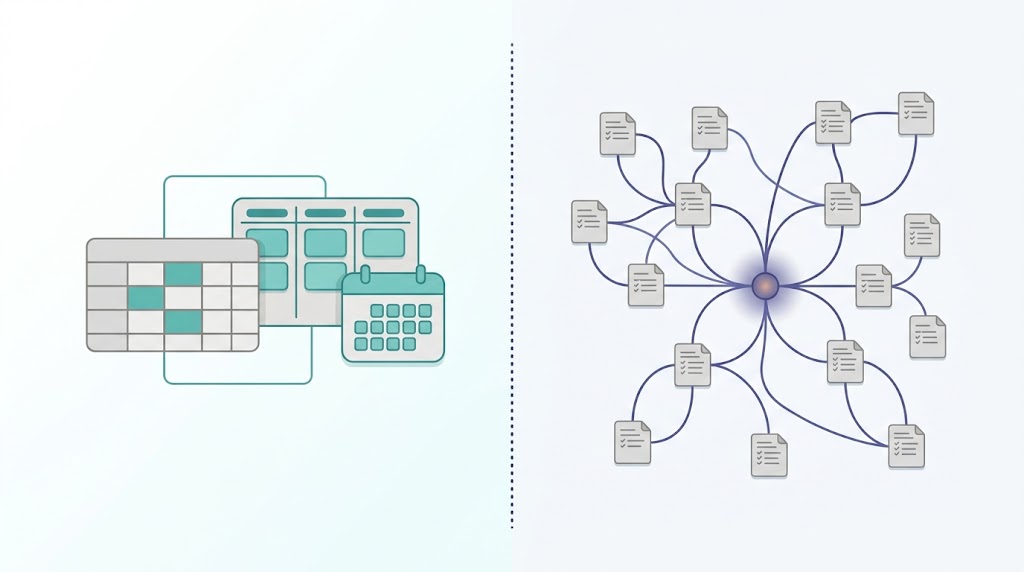
Notion: databases, relations and views
Notion’s strength is relational structure. A page can become a row in a database, databases can be linked to each other, and the same data can be shown as a table, board, calendar, gallery or chart. Templates and saved views give you ready-made scaffolding, so structure is imposed for you rather than invented by you (notion.com/pricing lists these database features by plan).
Obsidian: links, backlinks and plugins
Obsidian leans on connection instead of hierarchy. You link notes with wiki-style links, follow backlinks to see what points at a note, and explore the graph view to spot clusters. The app has an open API and “thousands of plugins” (obsidian.md), so you assemble the system you want — folders, links, tags, or a mix. The trade-off is worth stating plainly: Notion imposes structure for you, while Obsidian asks you to build your own.
Offline use, sync and mobility
Obsidian: offline by default
Because notes are local files, Obsidian is offline-first — the vendor says you can access them “quickly, even offline” (obsidian.md). Syncing is a separate, optional step. Obsidian Sync moves your vault between devices with “work offline, sync later” behaviour, version history, unlimited devices and shared vaults. It encrypts the remote copy end-to-end, but note the scope: only the remote Sync vault is encrypted this way (more on that under privacy).
Notion: cloud-first, with an offline mode that genuinely works
This is where the most common myth is simply wrong. Many comparison articles say “Notion can’t work offline.” It can. Notion’s pricing table lists an Offline row stating you can “Use Notion offline on the desktop and mobile app” (notion.com/pricing). The honest distinctions are narrower:
- App only, not browser. Offline works in the desktop and mobile apps, not in a web browser (notion.com/help/use-pages-offline).
- Per-page, and manual on the free plan. You choose which pages to download for offline use; on paid plans, Recents and Favorites auto-download.
- Subpages don’t auto-download. You select pages rather than assuming a whole tree comes along.
- Still evolving. Notion says it is “continuing to expand offline capabilities,” so treat offline as a supported mode rather than a finished one.
Put simply: Obsidian is offline-first because that is its architecture; Notion is cloud-first with an offline mode that covers the pages you choose.
Pricing (read the official pages, and re-check — prices as of 2026-10-12)
Obsidian (according to obsidian.md/pricing)
- App: free — “Free without limits. No sign-up required.”
- Sync Standard: $4/user/month billed annually ($5 monthly) — 1 vault, 1 GB storage, 5 MB max file, 1-month version history.
- Sync Plus: $8/user/month billed annually ($10 monthly) — 10 vaults, 10 GB (upgradable to 100 GB), 200 MB max file, 12-month history.
- Publish: $8/site/month billed annually ($10 monthly) — publish notes to the web with a customisable theme and graph/full-text search.
- Both Sync tiers include unlimited devices and shared vaults. Sync and Publish carry a 7-day refund window. The vendor also lists a one-time Catalyst license ($25) and a Commercial license ($50/user/year), and a 40% discount for students, faculty and nonprofits on Sync and Publish.
Notion (according to notion.com/pricing)
- Free: $0 — 5 MB uploads, 7-day page history, 10 guests, offline on desktop/mobile.
- Plus: $10/member/month — 30-day history, unlimited guests and uploads, Recents/Favorites auto-download for offline use.
- Business (“Recommended”): $20/member/month — 90-day history, Notion Agent, AI Meeting Notes, Enterprise Search (Beta), SAML SSO, private teamspaces.
- Enterprise: custom — zero data retention, SCIM, audit log, DLP/SIEM connections, advanced security.
- Data-retention rows read Free 30 / Plus 30 / Business 30 / Enterprise Zero.
Two nuances worth knowing. First, Notion AI is included on Business and Enterprise, with only limited trial usage below that; independent of note-taking, Notion sells AI as a workspace feature, and if AI assistance is what you are really after, our companion roundup of AI productivity tools for work covers it among ten tools. Second, Notion’s Custom Agents are listed as “Free to try, then $10 per 1,000 monthly Notion credits.” Prices on both sides change often — re-check before buying.
Privacy and data ownership
Obsidian: your files, and one important caveat
Obsidian’s pitch is ownership: notes are stored locally and “no one else can read them, not even us” (obsidian.md). The app collects no telemetry and does not sell user data. One correction to a widely repeated claim: Obsidian does not encrypt your local vault. The vendor states plainly, “Your choice only affects your remote vault. Obsidian doesn’t encrypt your local vault” (obsidian.md/help/sync/security). If you turn on Obsidian Sync, the remote copy can be end-to-end encrypted with AES-256, meaning not even Obsidian can read it — but some Sync metadata (which device uploaded or deleted a file, when, and the mapping between encrypted file paths and encrypted content) is not end-to-end encrypted. Obsidian also says it has been independently audited and links audit reports from its security page.
Notion: a secured cloud, on the vendor’s word
Notion is a cloud service, so its privacy story is about how it protects data on its servers. According to Notion’s security pages, customer data is encrypted at rest with AES-256 and in transit with TLS 1.2 or higher; Notion holds SOC 2 Type 2 and ISO 27001 (plus ISO 27701, 27017 and 27018); Enterprise workspaces get zero data retention, SAML SSO, SCIM and an audit log. Notion also states that its AI subprocessors are “prohibited from using Customer Data to train models,” and that Notion AI will not train on your data unless you opt in.
Two honest caveats. These certifications and guarantees are the vendor’s own attestations on its own pages — reputable, but not independent tests you or we ran. And “encrypted at rest and in transit” describes Notion protecting your data; it does not give you the local, file-level ownership Obsidian does.
Which should you choose?
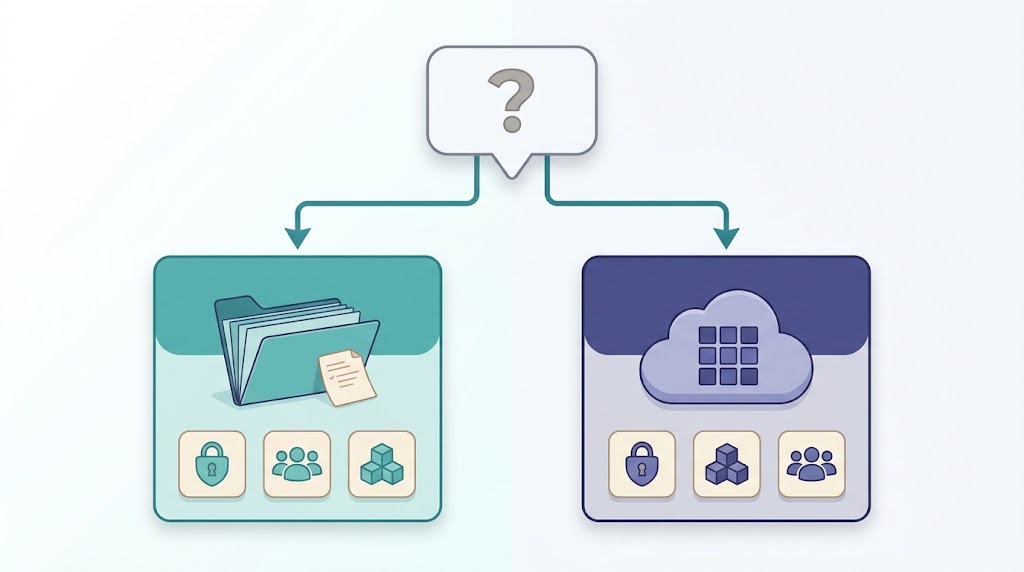
For students
Notion offers a genuinely useful edge: the vendor states the Plus plan is free for students and educators who sign up with a school email. That makes structured notes, class databases and collaboration cheap. Obsidian is also free, with a 40% discount on Sync and Publish for students — the better pick if you want plain files you keep after graduation.
For developers and technical users
Obsidian tends to fit better: Markdown files play well with Git, scripts and version control, and the open API and plugin ecosystem let you customise heavily. Notion suits developers mainly when the whole team already lives in it for specs and docs.
For teams and collaboration
This is Notion’s home turf. Shared databases, granular permissions, teamspaces and real-time editing are built for groups. Obsidian supports shared vaults through Sync, but it is fundamentally a personal-first tool, not a team wiki.
For a “second brain” / PKM
Both work, with different philosophies. Obsidian rewards bottom-up linking and graph-based thinking; Notion rewards top-down databases and templates. If you like structure you maintain by hand, Obsidian; if you like structure the app gives you, Notion.
For privacy-focused users
Obsidian keeps your notes as local files, which is the strongest starting point for ownership — understand that the local vault is not encrypted, so use full-disk encryption if you need that. Notion is a cloud service; it reports solid certifications, but your data lives on its servers.
Migration: moving your notes between apps
You can move in either direction, but both vendors document friction — do not expect a lossless round-trip.
- Notion → Obsidian. Obsidian’s official Importer plugin handles Notion migration. It offers two paths: importing from a Notion account (recommended, because it preserves databases that are converted to Bases) or importing a Notion
.zipexport (which does not preserve databases). Obsidian specifically recommends exporting from Notion as HTML, not Markdown, because the Markdown export “omits important data.” Documented limits include only the primary database view, no linked data sources, some unsupported formulas, and slow performance on large workspaces. - Obsidian → Notion. Notion can import Markdown and other formats, but its own docs warn that “complex layouts, styling, and app-specific features often need cleanup in Notion.”
- Notion exports are awkward on their own terms. The vendor notes that you “can’t instantly recreate your workspace by reuploading your exported workspace content,” that a database export captures only the current or default view, and that a full workspace export can take up to 30 hours with a download link that expires after 7 days.
The practical takeaway: migration is possible, and choosing the right export format matters far more than most guides admit.
FAQ
Is Obsidian better than Notion?
No app is universally better. Obsidian is better if you value owning your notes as files, offline-first use and customisation; Notion is better if you value databases, ready-made structure and team collaboration.
Does Obsidian work offline?
Yes. Obsidian works offline by default because your notes are stored as local files on your device. Syncing with Obsidian Sync is optional.
Can Notion work offline?
Yes. Notion works offline on the desktop and mobile apps on every plan, using pages you choose to download; paid plans auto-download Recents and Favorites. It does not work offline in a web browser.
Is Notion or Obsidian better for students?
Both are strong. Notion’s Plus plan is free for students and educators, which favours structured, collaborative note-taking. Obsidian is free with a 40% education discount on Sync and Publish, and suits students who want to keep their notes as portable files.
Is Obsidian free?
Yes — the app is free “without limits” and needs no sign-up. Obsidian Sync ($4/$5 per user/month depending on billing and tier) and Publish ($8/$10 per site/month) are optional paid add-ons.
Which is better for privacy, Notion or Obsidian?
Obsidian starts from local files you own, though your local vault is not encrypted by default. Notion is a cloud service that reports strong security certifications (SOC 2 Type 2, ISO 27001) and zero data retention on Enterprise. The choice depends on whether you prefer local ownership or a managed cloud.
Final thoughts
Choose by what you value most: if it is ownership, offline-first working and a system you build yourself, Obsidian is the fit; if it is databases, ready-made structure and collaboration in one workspace, choose Notion. The good news is that the cost of being wrong is low — Obsidian’s app is free and Notion’s Free plan is $0, so you can try the one you are unsure about before committing. Re-check both vendors’ pricing pages before you buy, because the numbers above are as of 2026-10-12 and change often.
